Catch attacks
Catch identity attacks, and see what they reach.
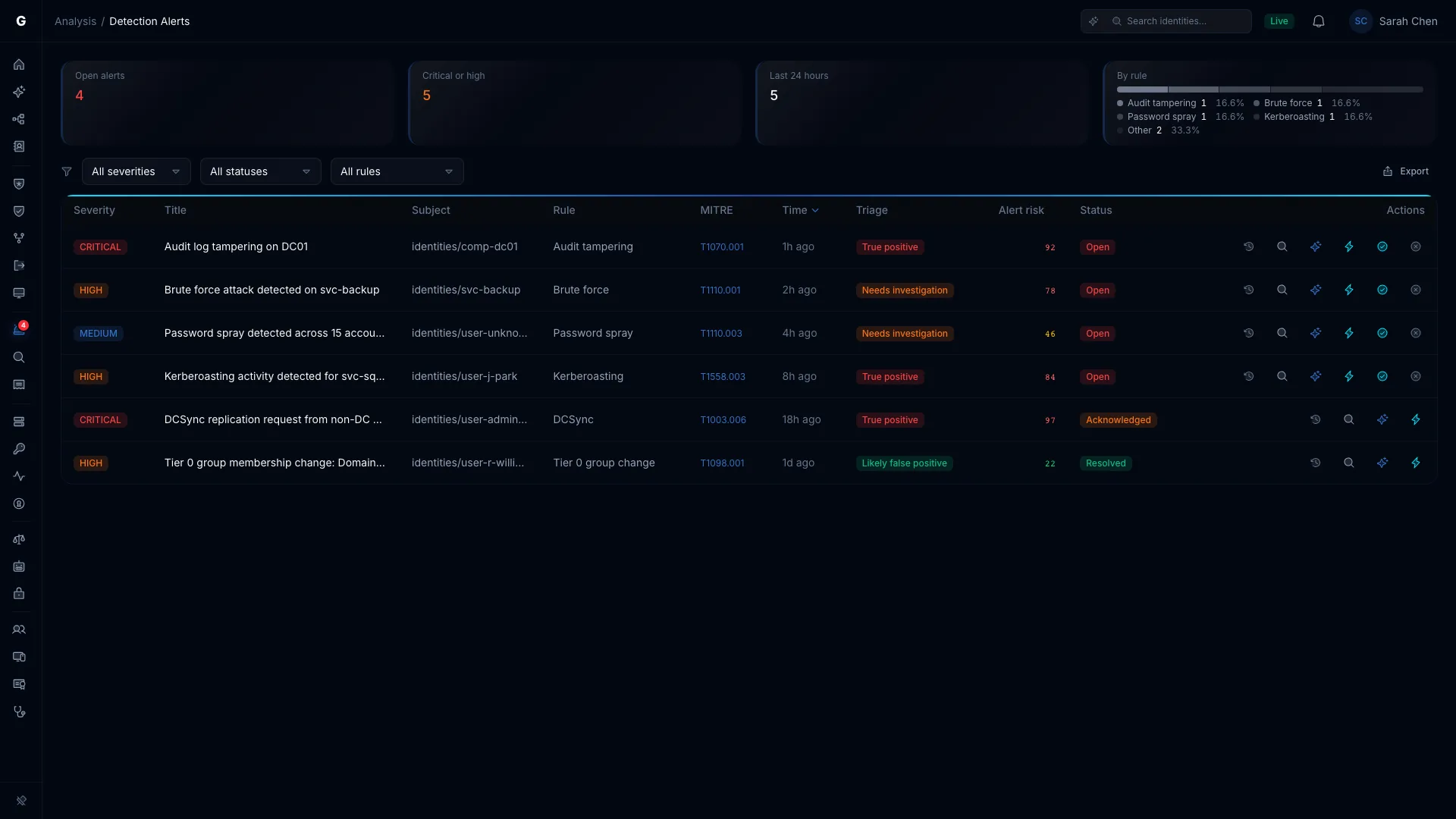
GraphnAI reads sign-in and directory security events and alerts on password spray, brute force, credential theft, privileged group changes and more. Each alert shows what the account can reach.
Identity threat detection
Built for the attacks that go after your identities.
A SIEM can tell you that 10 sign-ins failed in 5 minutes. It can't tell you the account was a Tier 0 service account with a path to your most critical systems. GraphnAI stamps each alert with the account's type, its tier and how many attack paths lead from it to Tier 0.
CriticalAttack rules
- Kerberoasting
T1558.003A burst of RC4 service ticket requests from one account. - DCSync
T1003.006An account using directory replication rights to pull password data. - Golden Ticket
T1558.001A ticket-granting ticket issued with RC4, a common sign of forgery. - AS-REP Roasting
T1558.004One source requesting tickets without pre-authentication for several accounts. - Tier 0 group change
T1098A member added to Domain Admins or another Tier 0 group. - Trust manipulation
T1484.002A domain or forest trust created, removed or changed. - Audit tampering
T1562.002A change to the Windows audit policy. Critical when it turns auditing off.
HighAttack rules
- Brute force
T1110.001Repeated failed sign-ins to one account within minutes. - Password spray
T1110.003One source failing to sign in to several accounts. - Lateral movement chain
T1021One identity hopping from host to host by network sign-in. - Account manipulation
T1098A password reset or account enable done by another account.
GraphnAI watches for the sign-in that follows a spray. Password spray succeeded (Critical) fires when a targeted account then signs in from the spraying address. Signed in from a spraying address (High) catches accounts the spray never tried. Only sign-ins that prove the password count.
MediumBehavior rules
- Unusual sign-in hour
T1078A sign-in at an hour this identity almost never uses. - Unusual source host
T1078A sign-in from a host this identity doesn't usually sign in from. - Unusual sign-in protocol
T1550.002A rarely used protocol, such as NTLM from an account that normally uses Kerberos.
Each identity is compared with its own 30-day sign-in baseline.
Every alert carries its MITRE ATT&CK technique. A critical alert notifies every Operator and Admin.
Every alert explains itself.
An ongoing attack stays one alert that updates as activity arrives, so nobody gets paged twice. A big change, such as a higher severity, sends it back to triage.
The alert says what the rule saw. A Kerberoasting alert lists the service accounts requested and their encryption.
Each account, computer and address is named by the part it played. A Tier 0 group change names the member added, the group and who changed it.
The source address and the computer it probably belongs to, with every other alert from the same source.
A graph of what the account can reach, and how many of its paths to Tier 0 are Validated.
Export alerts as CSV or JSON, or poll the alerts API and forward them to your SIEM.
Telemetry
Events in. Validated relationships out.
An OpenTelemetry collector on each domain controller, or on a server that receives their events through Windows Event Forwarding, sends the Security log to your GraphnAI server. GraphnAI generates the collector config for you, API key included, and it collects only the events GraphnAI reads. Already run a collector? Add the generated pipeline to it.
Secrets never reach the database. Fields that hold a credential or key are removed before an event is stored.
Use becomes evidence. A sign-in creates a Validated session from the user to the computer. A special-privileges event or an observed group addition raises the relationship it proves to Validated. A sign-in never raises a group membership or a permission, because it doesn't show which grant it used.
- TheoreticalConfigured in the directory. Nothing else checked.
- ConstrainedA constraint on it has been checked.
- ValidatedTelemetry has seen it in use.
- Domain controllersWindows Security log
- OpenTelemetry collectorGenerated config
- 1NormalizeOne record shape. Credentials removed before storage.
- 2Match the identityBy SID first, then domain and account name.
- 3Update the graphSessions and privileges seen in use become Validated.
- 4DetectEach batch runs against the active rules.
Triage
Every alert, judged against the identity behind it.
Triage checks each alert against the account behind it and tells you which ones matter.
Each alert gets a verdict: True positive, Needs investigation or Likely false positive. The graph decides the verdict, and the AI model only writes the reasoning, so triage still works when your AI provider is down.
Alert risk combines the account's own risk score with the alert's severity. Sort by it and start at the top.
By default triage only adds context and notifies. An Admin can let a rule do more, but it only ever acts on the account that acted or that an attacker holds, never a victim. Tier 0 and Tier 1 accounts always go to a person.
Identity Timeline
One identity's whole story, on one page.
Its sessions, alerts and events, newest first, next to what normal looks like for it and a graph of where it signs in.
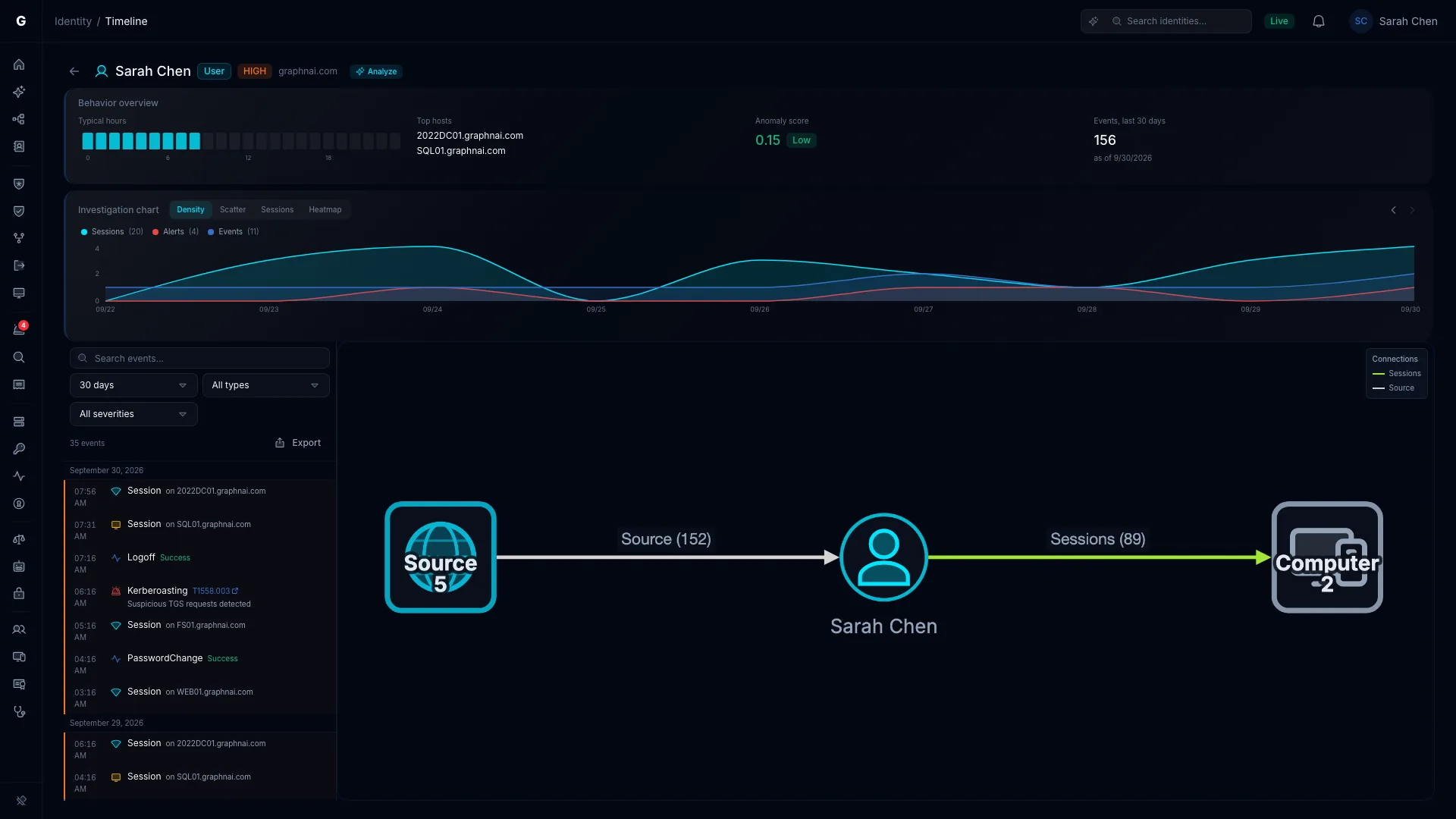
Know what normal looks like.
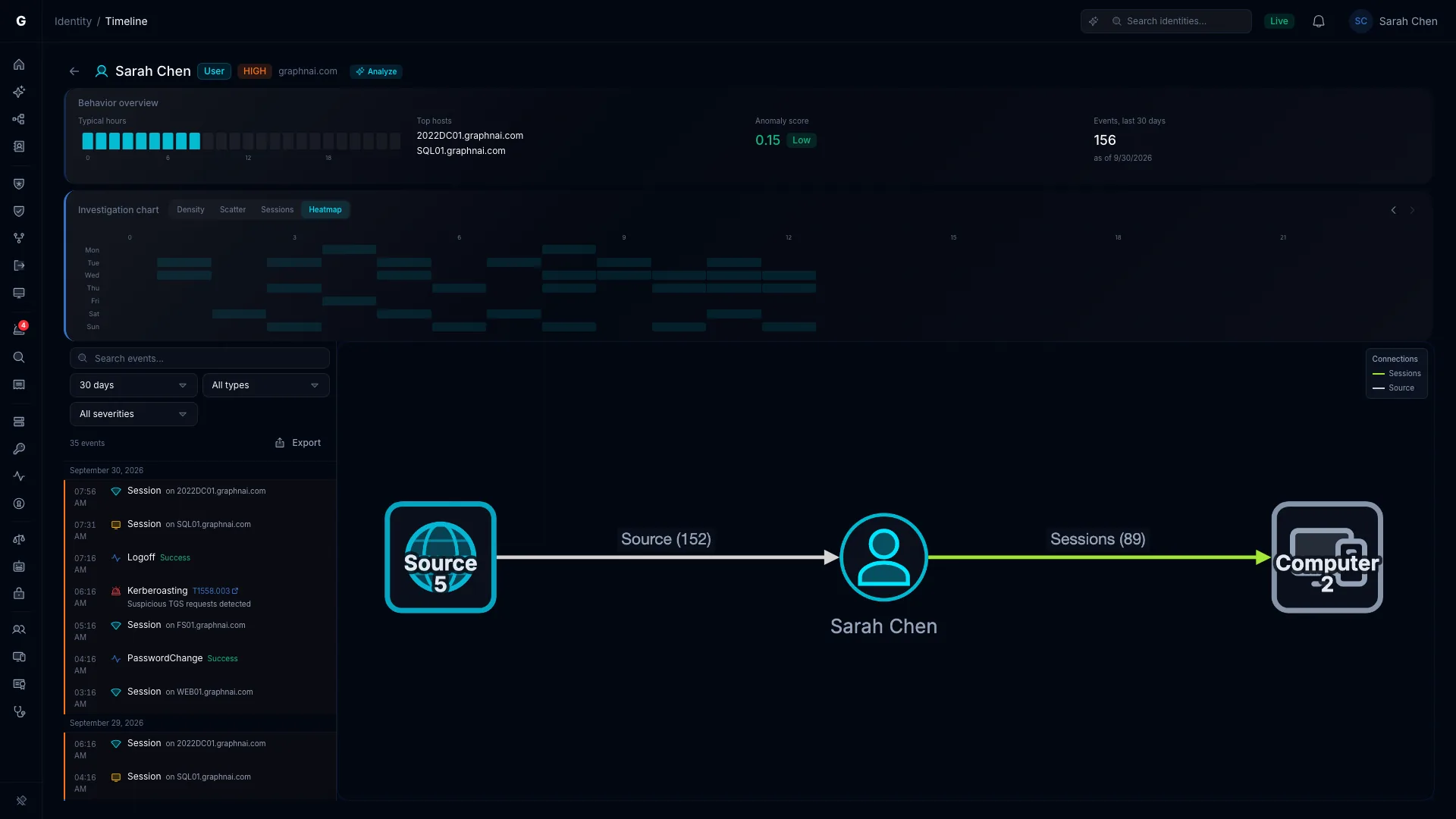
The behavior overview reads the hours and computers of the last 30 days. Anything outside that pattern is tinted orange.
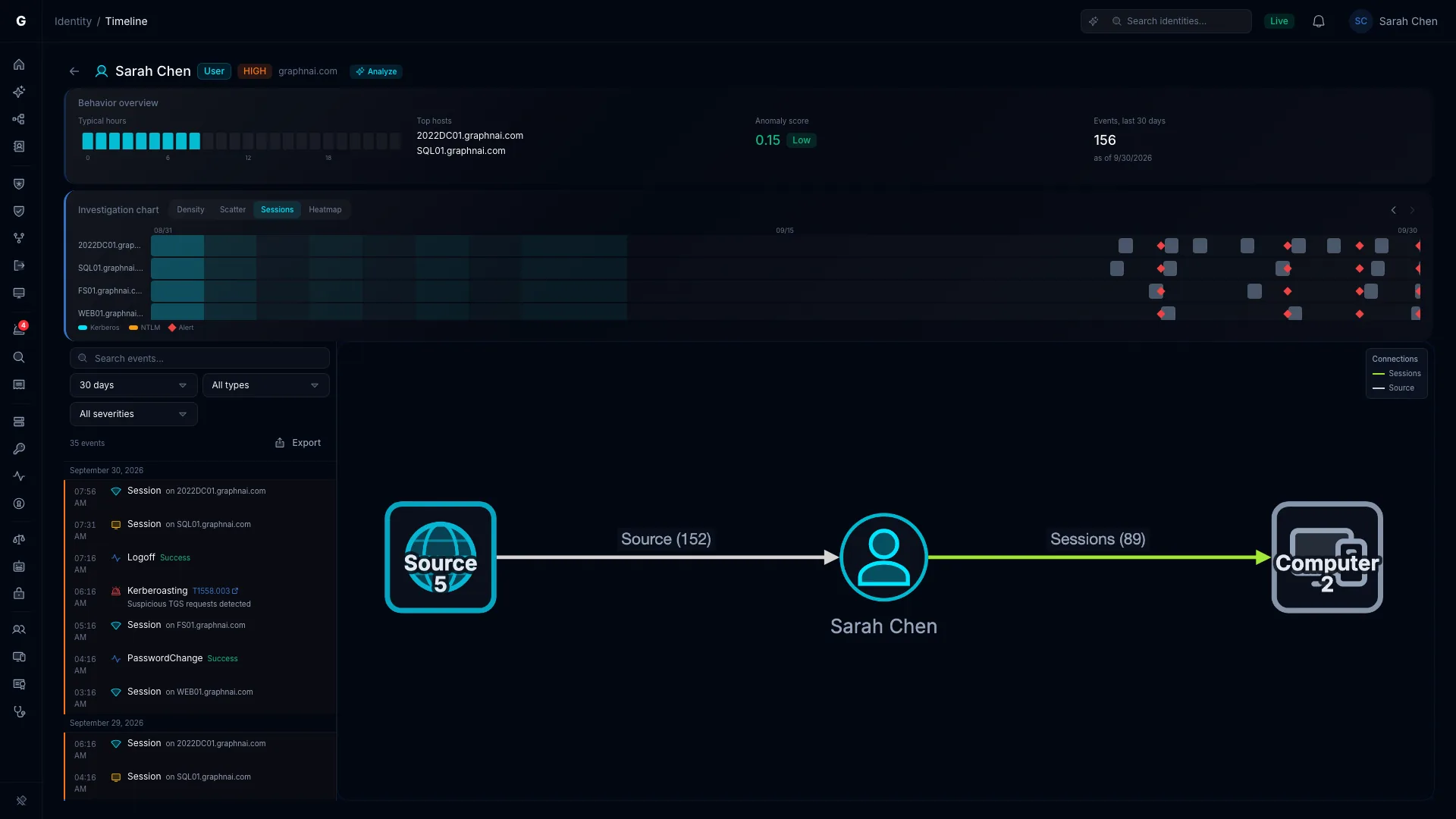
Density, Scatter, Sessions, Heatmap.
In Scatter, red alert dots just before a session dot is the classic sign of a brute force that worked.
Click a session and step through it.
Select a session and the graph steps through its events in order. Select a connection in the graph and the list narrows to it.
Analyze it, share it, fix it.
With an AI model configured, Analyze asks Graphne to explain the filtered timeline. The link keeps your view and filters for a colleague, and any entry can start Select Fire.
Investigations
A written report on one identity, in five steps.
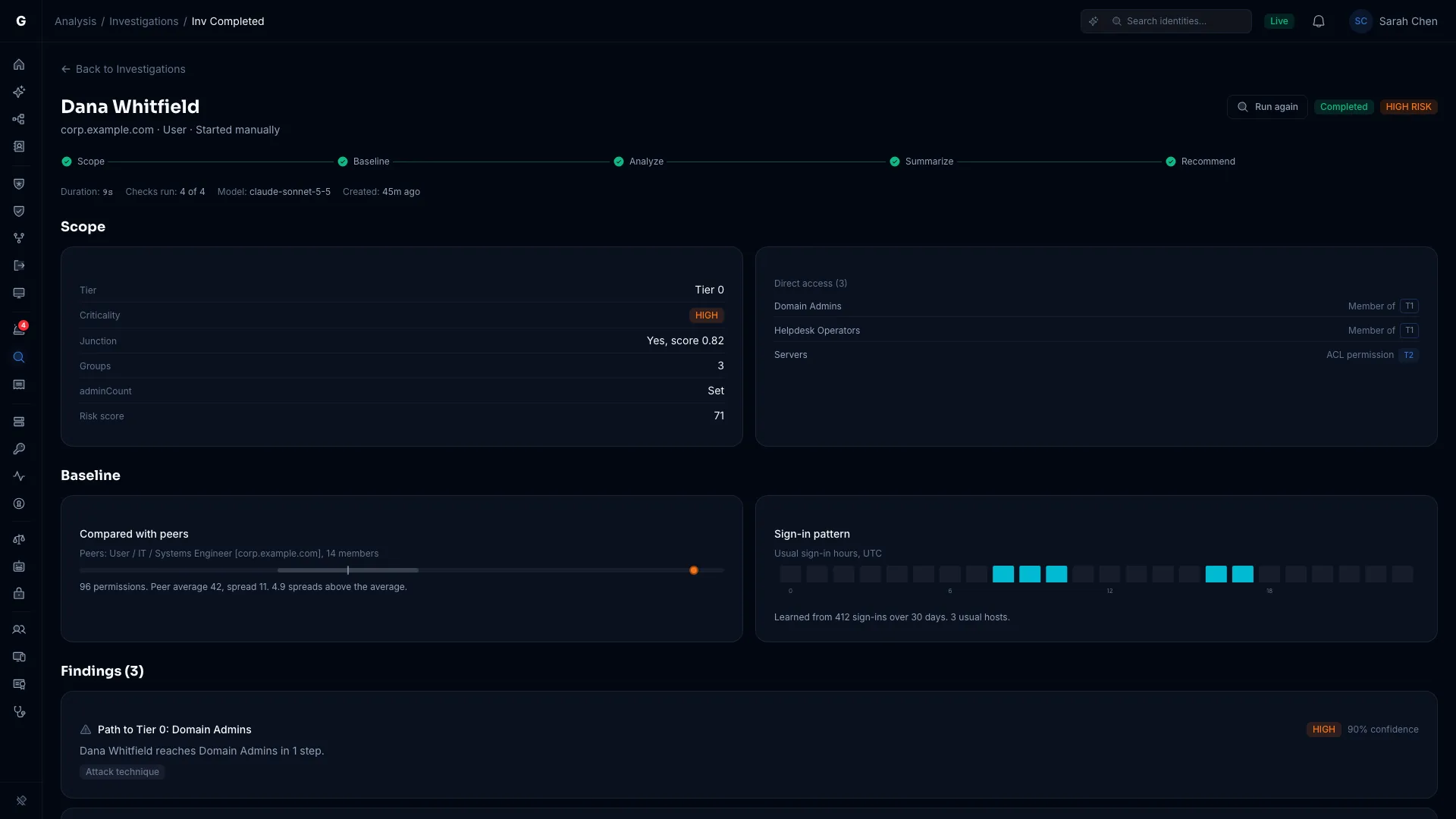
Investigation examines one identity and writes a report on it, with the evidence behind each finding.
Start one from the Investigations page, an identity's flyout or an alert. Graphne or a triage policy can start one too.
- Scope. Criticality, tier, risk score and direct permissions.
- Baseline. Its permissions against its peers, and its usual sign-in hours.
- Analyze. Four checks, from access anomalies to sign-in activity.
- Summarize. A short summary and key points.
- Recommend. Actions, each with a safety score.
It only reads data, and its one AI call writes the summary. If the AI provider doesn't answer, the report still finishes and says so. Reports are kept for a year, so you can run the same account next quarter and compare.
The identity flyout
Alerts and timeline, without losing the identity.
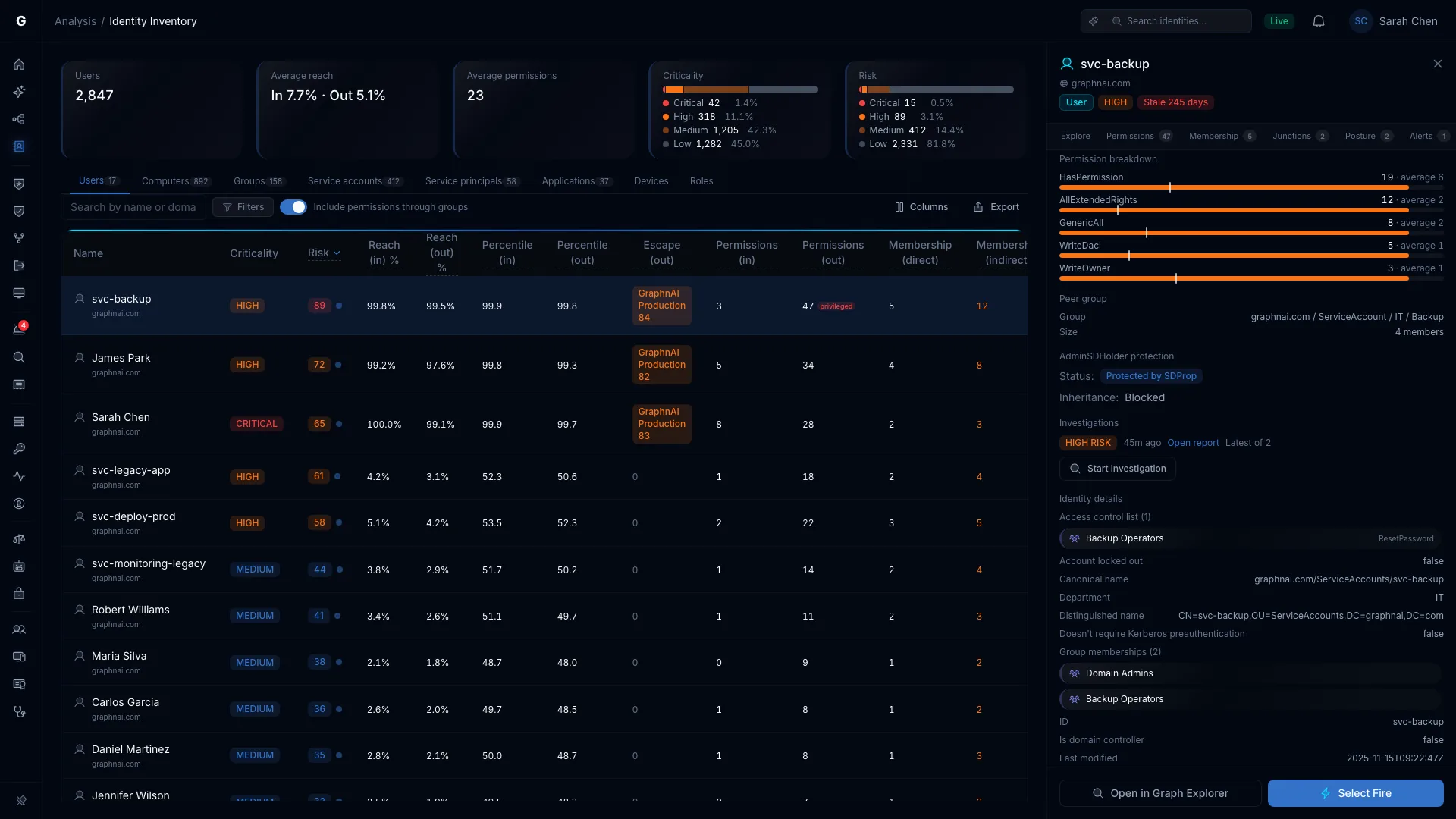
Every analysis page opens the same identity flyout. Each tab opens the page that answers its question, focused on the same identity, while the header stays put.
- Alerts opens Detection Alerts on this identity, with its first alert selected.
- Timeline shows a short timeline in the flyout. Select an entry for the full one.
- Investigate sits beside Select Fire, and the Investigations section shows the latest report and its risk.
See what's hitting your identities.
The Public Preview is free for 30 days from your first sync, on your own server.